You talk, Hushpen types it into any app.
No subscription. No account.
Hears
Fillers, repeats, and take-backs are removed.
Every state in one small capsule. Click it.
Fillers and take-backs go.
Pick the keys for every action.
Coming soon. A keyboard for Android and iOS, with the dictation on the phone.
Coming soon. A phone or a server runs the models.
A local model rewrites the text for where it goes.
Select text, hold Right Option + Right Shift, and speak.
Search, play, and export what you said.
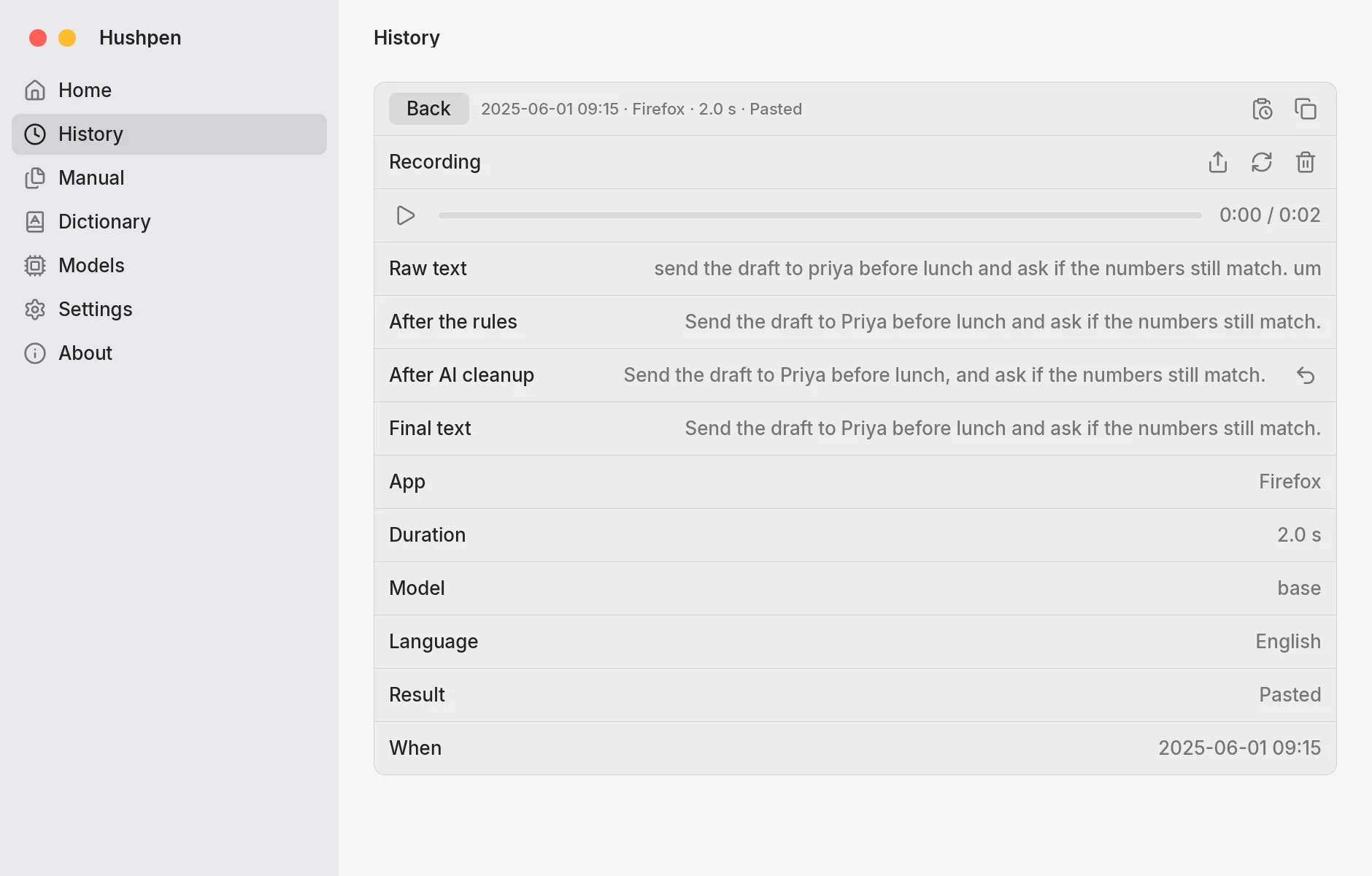
Names and terms, spelled your way.
Drop audio. It waits in a queue.
Text, in a voice you pick.
Heart with 30% Adam
Names, places, and terms come out the way you write them. Use your own list, or a word pack.
Say the change, and a model on your computer rewrites the selected text in place.
Speech turns into text on your computer. It keeps typing with Wi-Fi off.
Choose a voice, mix two, or clone your own. It reads text from any app.
No subscription, no account, no word limit. Anyone can read the code and change it.
Seconds to write out one recording on an Apple M4 Pro Mac, from a 5 second note to a 30 minute meeting.
Parakeet hears 25 European languages. Whisper adds Hindi and more. S1-mini tidies the text.
Audio and text stay on your computer and the devices you pair, unless you pick an endpoint.
Hushpen sends no usage data. Update checks are opt-in. Update checks send the app name, platform, and version. We count them per day and keep nothing that identifies you.
Models download only when you ask, and every hash is checked.
AGPL-3.0 licensed. Signed and notarized on macOS.
Free on Mac, Windows and Linux today. Android and iOS are coming soon.
X11 desktops, x64 and arm64.
Windows x64. No admin rights needed.
Install Hushpen. The script checks SHA256SUMS.
irm https://hushpen.samhq.app/install.ps1 | iexA full keyboard with a voice bar. Dictation runs on the phone.
A keyboard for every app. It listens in the Hushpen app.
Let a phone or a server do the work. Everything stays on your own devices.
Answers on privacy, languages, and memory. Not here? Open an issue on GitHub.
Yes. Hushpen is free and open source under the AGPL-3.0-or-later license. There is no subscription, no account, and no word limit.
Yes. The code is on GitHub under the AGPL-3.0-or-later license. You can read it, build it, and change it.
No. Hushpen records and transcribes on your computer. Your audio and text leave it only if you set up your own endpoint for AI cleanup. With Devices (coming soon), audio goes only to the phones and servers you paired. There is no cloud.
Yes. Dictation runs on your computer with Parakeet v3 or a Whisper model, so it works with Wi-Fi off. You need the internet only to download a model, and only when you ask. The update check is off until you turn it on.
Yes. It offers Whisper Large v3 Turbo, Whisper Small, and Whisper Base, run through whisper.cpp. It also offers Parakeet v3, the recommended model.
macOS 13 or later on Apple silicon. Linux x64 and arm64 with an X11 session and a Vulkan or OpenGL driver. Windows x64, as a preview. On Wayland, the global key and paste are not available. Android and iOS apps are coming soon.
Not yet. Both are coming soon. The Android app is a full keyboard with a voice bar, and dictation and AI cleanup run on the phone. The iPhone app is a keyboard that starts a flow session in the Hushpen app, and the Dynamic Island shows it while it listens.
Hushpen is free and open source, and speech to text runs on your computer. Wispr Flow transcribes in the cloud and has a free plan with a weekly word limit. Superwhisper and MacWhisper also run models on your computer, and their paid plans add features. Read the comparison of dictation apps.
Yes, with Devices, which is coming soon. Turn on Use models on other devices, then pair a phone with a QR code (nearby, encrypted with Noise), or a computer with SSH or Tailscale. Speech to Text and Text cleanup each list devices in order, and Hushpen uses the first that answers. This computer is the fallback. An Android phone can serve in the background or with the app open. An iPhone serves in Server mode, with the app open, charging, and the screen dimmed.
A headless program for servers. It serves models to your computer the same way a phone does. It is part of Devices, which is coming soon.
Nemotron Unified, the default model, and Parakeet v3 both hear English and 24 other European languages. Whisper Large v3 Turbo covers Hindi and many more. Whisper Small translates speech to English.
Left Option + Tab starts hands-free dictation, and the same keys stop it. Hold Right Option to talk, and let go to finish. Right Option + Right Shift is Command Mode, Ctrl + Cmd + V pastes the last text, Ctrl + Cmd + S reads aloud, and Esc cancels. On Linux and Windows, double tap Right Alt (or press Right Alt + Space) for hands-free. Hold Right Alt to talk. Change any of them in Settings.
It rewrites the text for where it goes, with the General, Message, Email, or Notes profile. It uses a local model (S1-mini by Superwhisper for English, or Qwen3.5 2B) or your own OpenAI-compatible endpoint, such as Ollama or LM Studio. It is off until you turn it on. Rule-based cleanup is on by default.
The app used about 15 MB after a day of running. The speech engine runs as its own program, hushpen-asr, and holds the model: about 400 MB with Parakeet kept loaded. In Settings, the engine can unload the model after 5, 15, 30, or 60 idle minutes.
Open source, and it runs on your own computer.