- Hushpen
- Speech to text
Free and open sourceAGPL-3.0-or-later. No subscription, no account.
Free speech to text for Mac, Windows and Linux.
Press a key, talk, and Hushpen types the text into any app. Speech to text runs on your own computer with Parakeet v3 and Whisper, so voice typing works offline, with no account and no word limit.
- $0No subscription, no account, and no word limit.
- Open sourceAGPL-3.0-or-later. Read the code, build it, change it.
- On your computerParakeet v3 and Whisper models run locally. It works offline.
Voice typing in any app.
Hushpen works wherever you can type: mail, chat, notes, a code editor, a browser. It removes fillers, repeats and take-backs, and you can turn on AI cleanup that rewrites the text for where it goes.
- Press the keyOn Mac, hold Right Option to talk, or press Option+Tab for hands-free. On Linux and Windows, hold Right Alt to talk.
- TalkA small bar shows that Hushpen is listening. Press the key again, or let go, to finish. Esc cancels.
- The text appearsClean text lands in the app you are using. History keeps every dictation, so you can search it, play it back and export it.
Speech to text on every system.
The same app runs on Mac, Windows and Linux today. Phone apps are on the way.
- MacApple silicon. macOS 13 or later. Signed and notarized.Download for Mac
- Windowsx64, in preview. No admin rights needed.Download for Windows
- LinuxX11 desktops, x64 and arm64. AppImage, deb, rpm and tar.gz.Download for Linux
- iPhoneA keyboard that listens in the Hushpen app.Coming soon
- AndroidA full keyboard with a voice bar. Dictation runs on the phone.Coming soon
Offline Whisper and Parakeet.
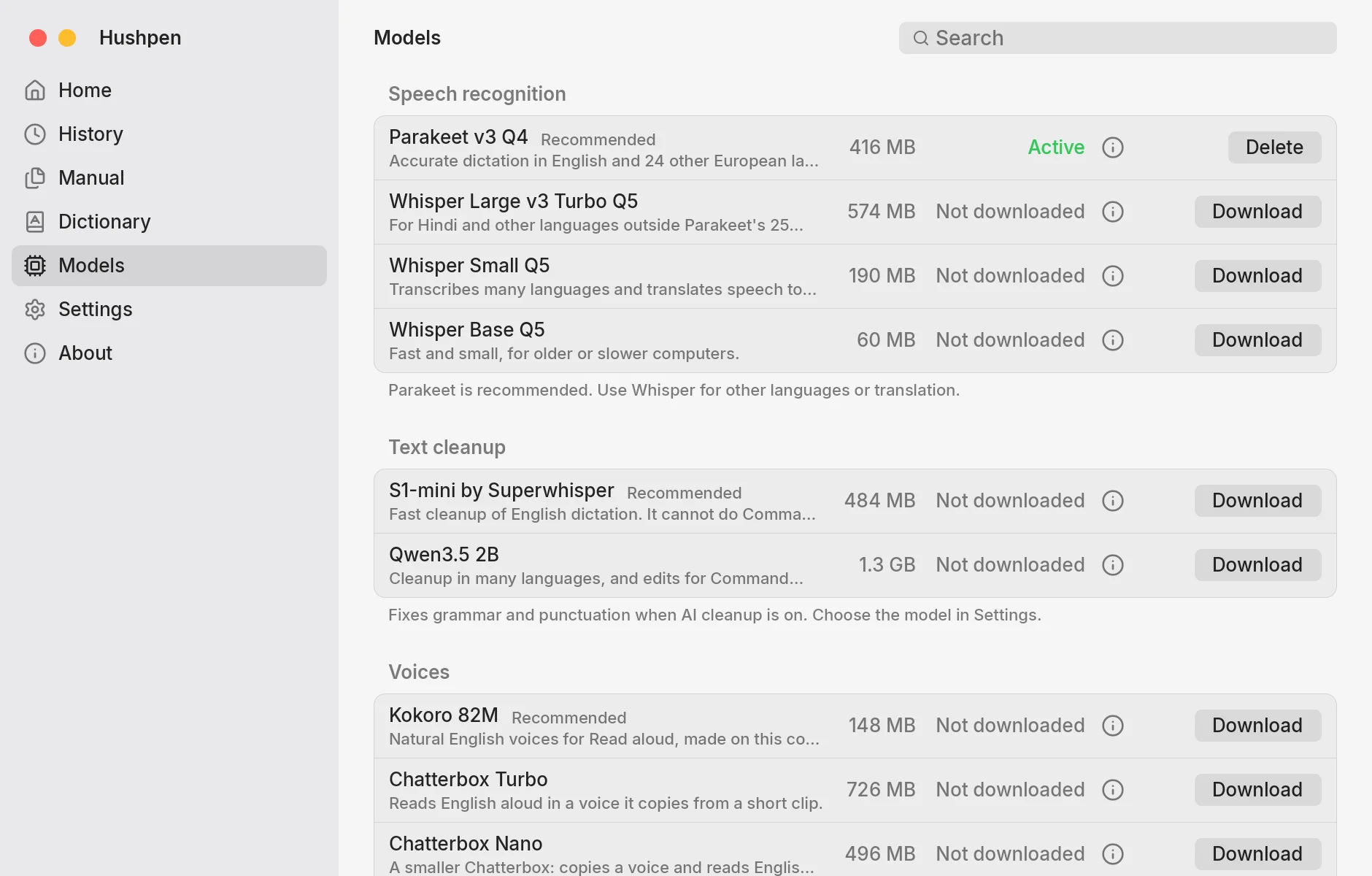
Hushpen runs speech models on your computer. Whisper models run through whisper.cpp, an open source program that runs OpenAI's Whisper on ordinary computers. You download a model once, and only when you ask. After that, dictation needs no internet.
| Model | Size | Good for |
|---|---|---|
| Parakeet v3 Q4 Recommended | 416 MB | English and 24 other European languages. |
| Whisper Large v3 Turbo Q5 | 574 MB | Hindi and other languages outside Parakeet's 25. |
| Whisper Small Q5 | 190 MB | Many languages, and translation of speech to English. |
| Whisper Base Q5 | 60 MB | Older or slower computers. |
Free, and open source.
Hushpen is free, with no subscription, no account and no word limit. The code is AGPL-3.0-or-later on GitHub, so you can read it, build it and change it. Speech turns into text on your computer, and Hushpen sends no usage data.
Want to see how it compares with other dictation apps? Read Dictation apps compared, or the Wispr Flow and Superwhisper comparisons.
Questions.
Is there free speech to text for Mac?
Yes. Hushpen is a free, open source dictation app for Macs with Apple silicon and macOS 13 or later. It types what you say into any app, and it has no subscription, no account and no word limit.
Is there free offline speech to text for Windows?
Yes. Hushpen runs on Windows x64 as a preview, with no admin rights needed. Speech models run on your computer, so dictation works offline after you download a model.
Does speech to text work offline on Linux?
Yes. Hushpen runs on Linux x64 and arm64 with an X11 session and a Vulkan or OpenGL driver. On Wayland, the global key and paste are not available. Dictation itself runs on your computer.
Can I use Hushpen for speech to text on iPhone or Android?
Not yet. The iOS and Android apps are coming soon. The Android app is a keyboard with a voice bar, and dictation runs on the phone.
What is whisper.cpp?
whisper.cpp is an open source program that runs OpenAI's Whisper speech models on ordinary computers. Hushpen uses it to run the Whisper models, so speech turns into text on your own machine.
Hushpen is free.
Open source, and it runs on your own computer.